EYES
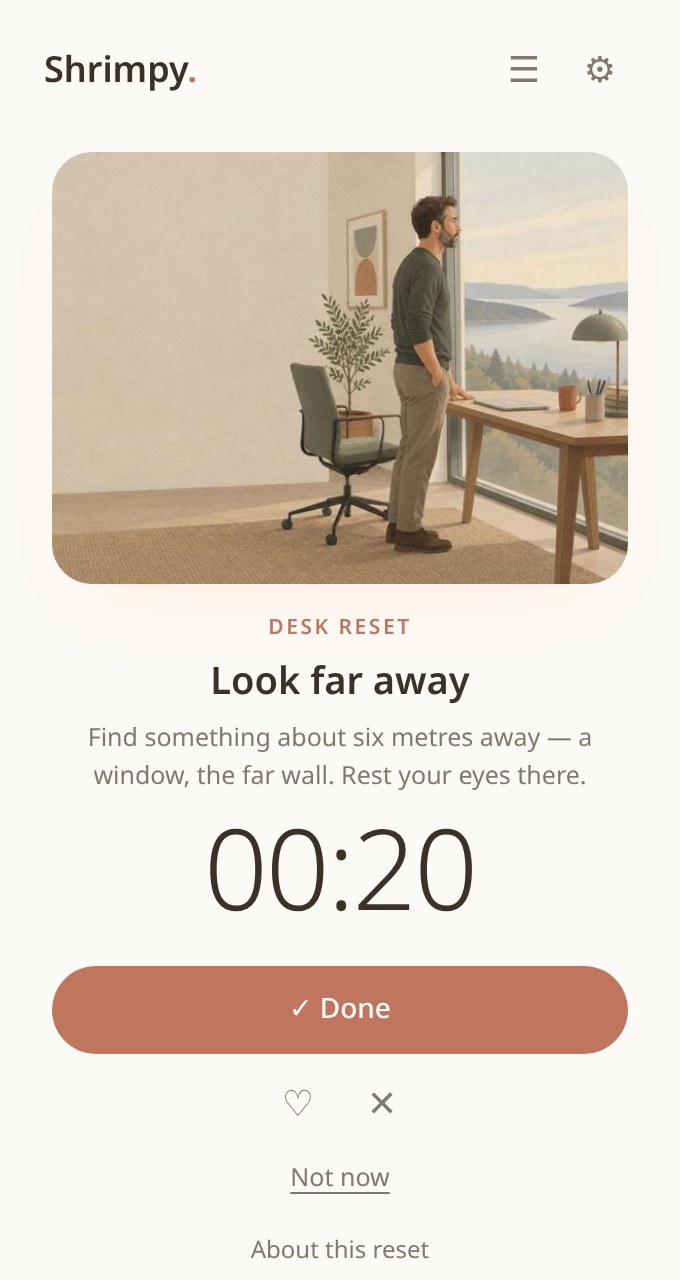
Look away from your screen.
BREAK REMINDER EXTENSION FOR CHROME
Your friendly desk companion for healthier digital workdays.
Tiny eye breaks. Gentle movement. More moments away from your screen.
Early access · manual install · Chrome & Chromium · no account
 1
THE PROBLEM
THE SOLUTION
EYES
Look away from your screen.
BODY
Uncurl, stretch and move.
MIND
Pause, breathe and reset.
HOW THE EXTENSION WORKS
FEATURES
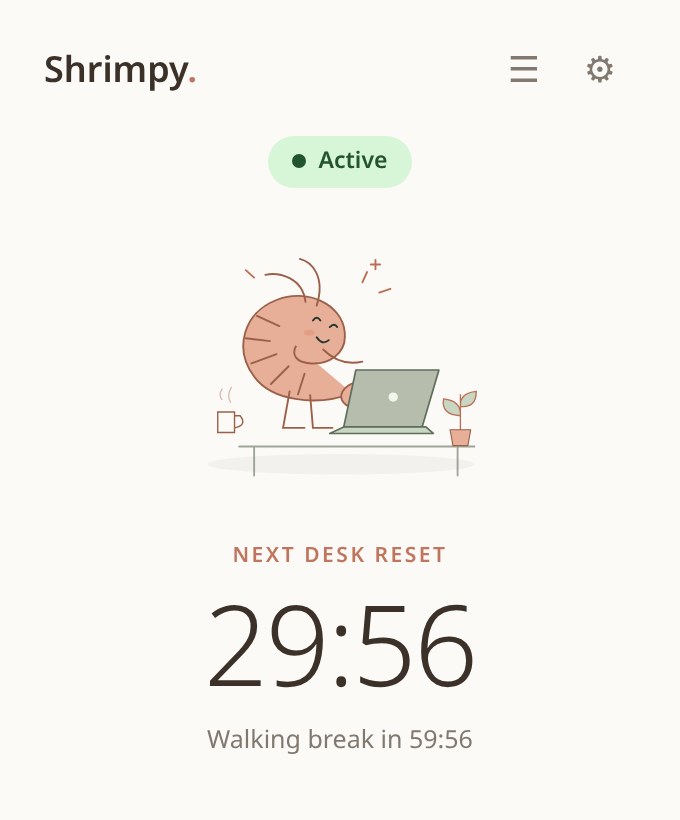
Short desk resets, every 30 minutes.
An hourly walk of 3–10 minutes.
A photo, one line and a countdown that starts by itself.
Quiet in meetings, or pause completely.
Your rhythm, your length: badge, pop-up or overlay.
Settings and ratings stay on your computer.
MEET SHRIMPY
TRUST
“Years at a screen gave me headaches and that heavy, foggy tiredness. Tiny movement breaks changed my days — so I built Shrimpy to make them easy.”Annika, founder
Read the founder’s notePRICING
The Chrome extension is free to start. The Full Version is a single payment — no subscription, no renewal emails.
FREE
FREE forever
FULL VERSION
€14.99 one-time · lifetime access
EUR base price. Where supported, pay in your local currency at checkout. Stripe shows the final amount; its exchange rate includes a 2–4% conversion fee. EUR remains an option.
Test payments only — no real money. €14.99 including tax. 30-day money-back guarantee from confirmed payment; refunded purchases lose Pro access.
Shrimpy Pro costs €14.99 once, including tax, for access over the lifetime of the service — no subscription. This is early access: Pro extras are still coming to the extension; calendar auto-pause and custom routines are planned. Checkout currently uses test payments only. The Chrome extension with timer, breaks, ratings and physical limits stays free.
Within 30 days of confirmed payment, email annika.pannen@gmail.com with your receipt reference to request a full refund. Refunded purchases lose Pro access, but your free timer remains. The guarantee does not limit statutory consumer rights.
Only a verified paid checkout unlocks Pro; opening a success link is not enough. A private cookie remembers access in this browser. Save the private recovery key after purchase to restore access in another browser or after clearing browser data. Never share it. Settings stay local and do not sync.
Shrimpy is a Chrome extension. Add it to Chrome (or Edge, Brave, Arc), pin it, and click the toolbar icon for your timer and resets. It keeps running without an open website while Chrome is running. When a reset is due, a small badge appears on the icon — Shrimpy never opens pop-ups over your work. This early version is installed manually; a Chrome Web Store listing is planned. Free to start, no account.
In the Chrome extension, tap ♡ on a break you like or ✕ on one you don’t. Favourites (and similar moves) come up more often; hidden breaks never come back. Ratings stay on your computer.
Yes. Under “Physical limits” in your timer preferences, choose wrist pain, knee injury, lower back sensitivity, neck tension or seated only. Matching exercises are removed completely — from timer nudges, the Break Library, alternatives and AI resets. This is a comfort filter, not medical advice; if something hurts, skip it.
Shrimpy doesn’t just hide it. You get alternatives for the same target area — eyes, neck & shoulders, hands & wrists, back, legs or mind — so your breaks stay varied and balanced, never repeating what you disliked and always respecting your limits.
Yes. Switch to “Silent” and breaks run in the background without a sound — no gong in the middle of a call. “Snooze” pauses the timer completely until you switch it back on. Google & Outlook Calendar auto-pause is planned, not connected yet.
Yes. Shrimpy runs in desktop Chrome and Chromium browsers such as Edge, Brave and Arc on Mac and Windows. Reminders keep coming while your browser is open — no tab needed.
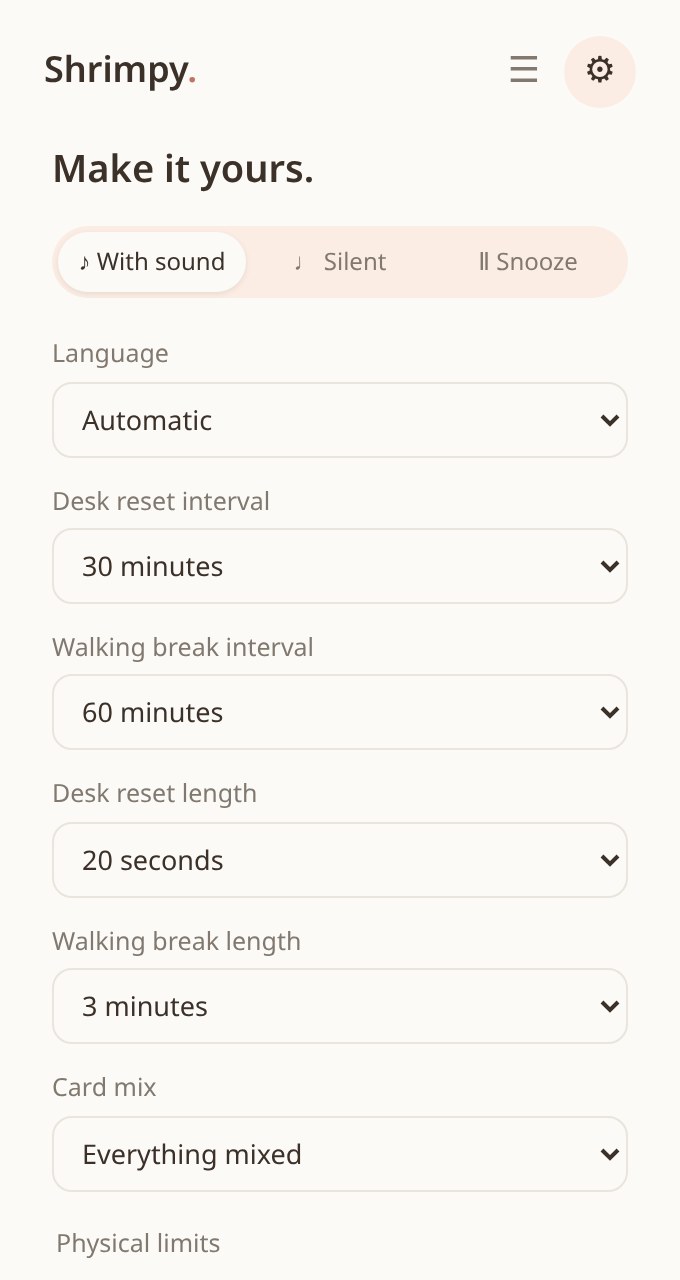
Yes. By default you get a desk reset (20–30 seconds, at your desk) every 30 minutes and a walking break (at least 3 minutes, up and away from the screen) every hour. In the extension, open Personalize to change the rhythm, card mix, physical limits and sound. Your choices stay on your device.
The extension keeps your settings and breaks on your device and sends nothing to our servers. No account or tracking of work habits. Feedback, feature votes and waitlist entries you choose to submit reach us. If you purchase Pro, our payment provider processes checkout details and we store private payment references and access status — never card details. See the Privacy Policy. Clear browser data and local preferences reset; save your Pro recovery key first.
No. No sign-up, no password. Just add the Chrome extension.
Research on sitting, movement, eye strain and micro-breaks informs the habits Shrimpy suggests. The Science page links to the original sources and explains their limits. Shrimpy itself has not been clinically tested; its default rhythm is a practical reminder, not a proven medical prescription. It does not prevent or treat disease.
Free to start. No account. Shrimpy waits in your toolbar.